
Shopify vs WooCommerce: Which Is Better for Your Business in 2026?
If you’re planning to launch an online store in 2026, you’ve probably already come across two of the biggest options:
Shopify and WooCommerce.
- Both can be used to build professional eCommerce websites.
- Both can handle physical and digital products.
- Both can support businesses ranging from small startups to much larger online stores.
- But they take very different approaches.
- Shopify gives you a managed eCommerce platform where hosting, store management, checkout, products, orders, analytics, and many other commerce tools operate inside one ecosystem.
- WooCommerce is an open-source eCommerce platform built on WordPress. It gives you much more control over your website, hosting, code, content, plugins, data, and customization.
So which is better? The answer isn’t simply:
“Shopify is better” or “WooCommerce is better”
The right platform depends on your business model, technical requirements, budget, products, growth strategy, SEO goals, and how much control you want over your website.
In this guide, I’ll compare Shopify vs WooCommerce in 2026 across the factors that actually matter to business owners.
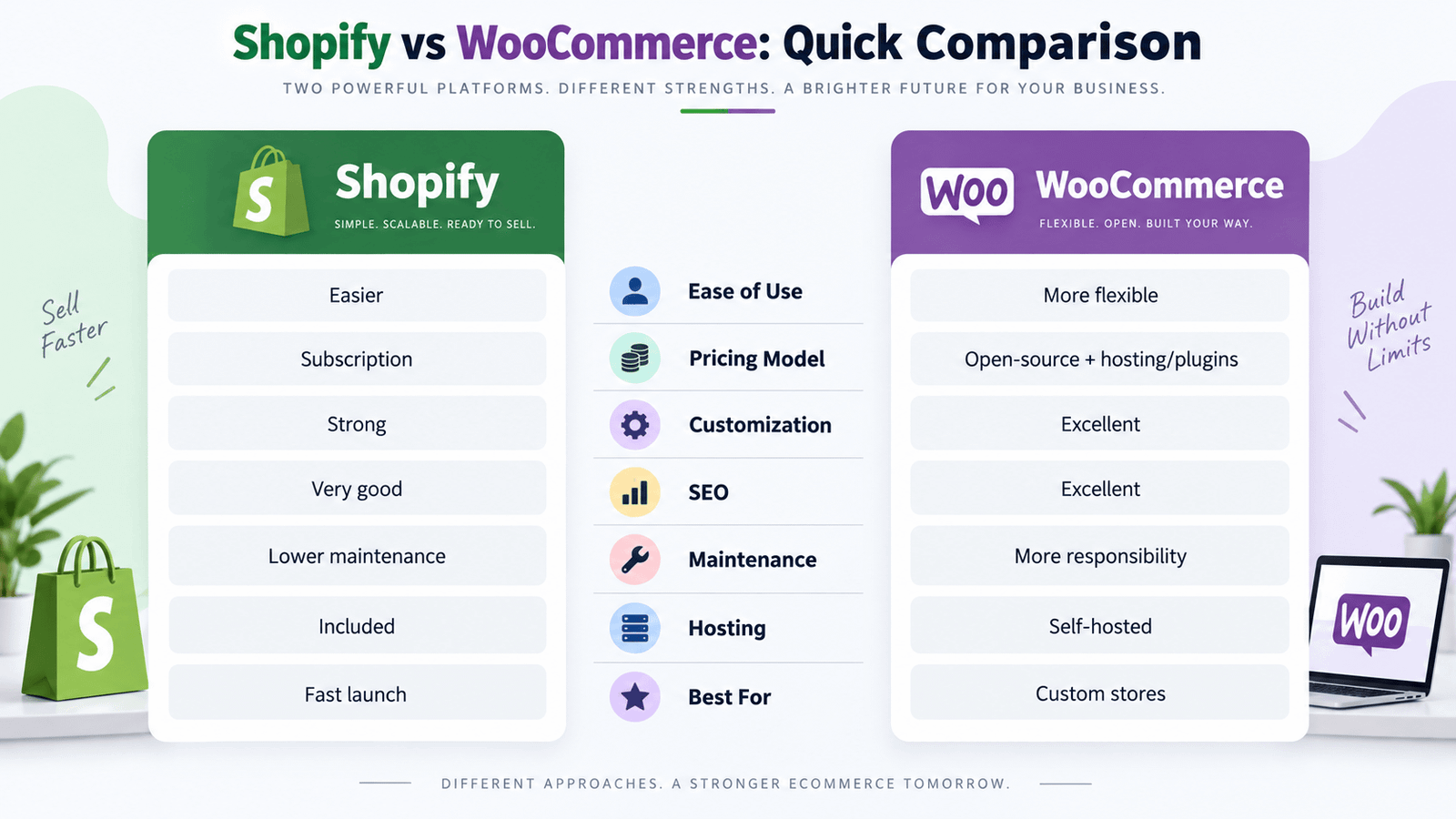
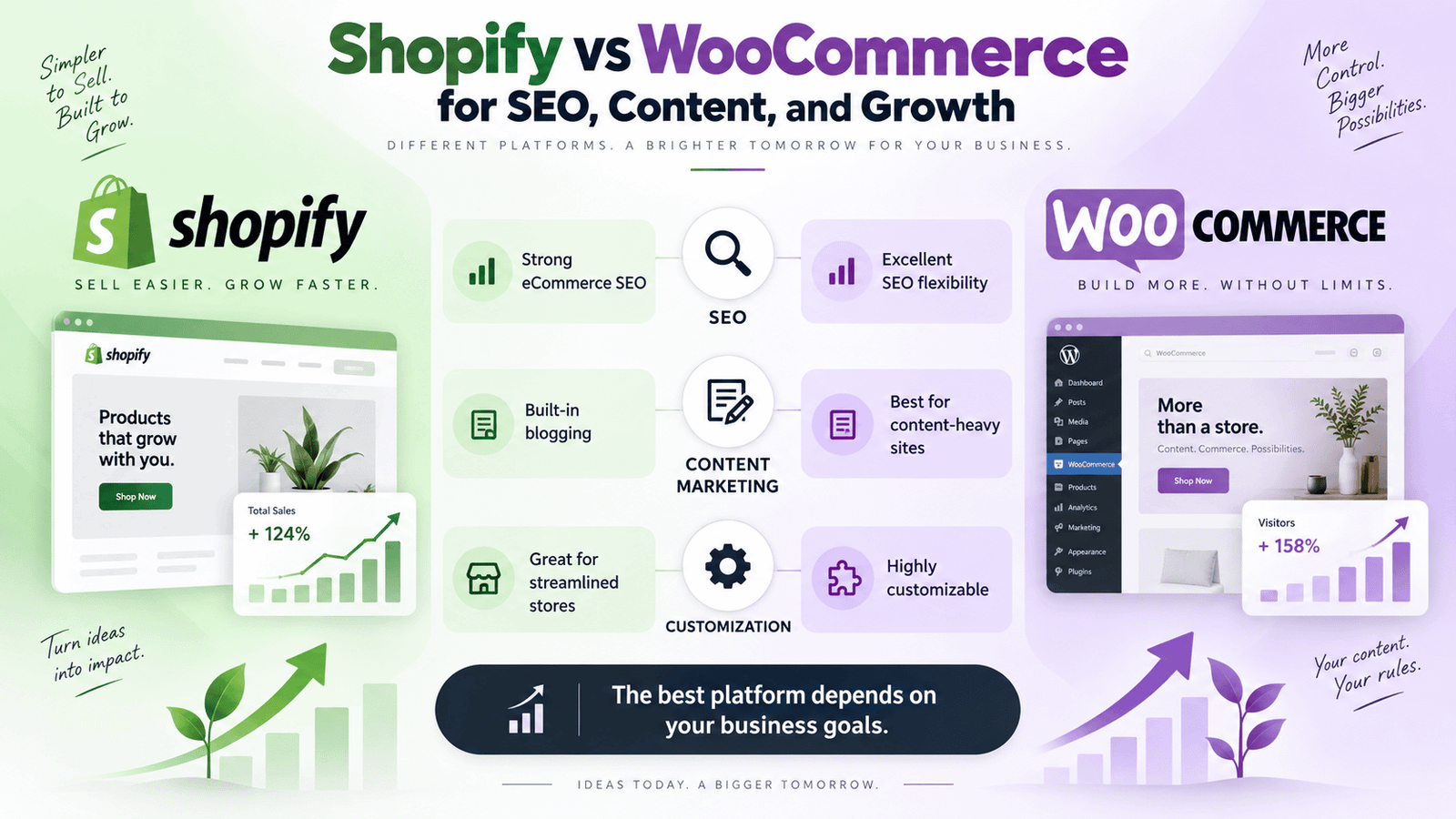
Shopify vs WooCommerce: Quick Comparison
If you want the short answer first, here’s a simple overview:
| Feature | Shopify | WooCommerce |
|---|---|---|
| Ease of Use | Excellent | Good |
| Initial Setup | Easier | More involved |
| Hosting | Included | You choose hosting |
| Platform Subscription | Required | Core platform free |
| Customization | Strong | Extremely flexible |
| Technical Control | Limited compared with open source | Excellent |
| Maintenance | Mostly managed | More responsibility |
| SEO Control | Very good | Excellent |
| Blogging & Content | Good | Excellent with WordPress |
| Apps / Extensions | Large ecosystem | Huge WordPress/Woo ecosystem |
| Checkout Management | Managed by Shopify | Highly customizable |
| Ownership & Control | Managed SaaS platform | Open source |
| Product Management | Excellent | Excellent |
| International Selling | Strong built-in tools | Highly customizable with plugins |
| Best for Beginners | Shopify | — |
| Best for Custom Development | — | WooCommerce |
| Best for Content-Heavy Sites | — | WooCommerce |
| Best for Simplicity | Shopify | — |
That doesn’t mean every beginner should choose Shopify or every advanced company should choose WooCommerce.
It’s only a starting point. Let’s look at the differences more carefully.
What Is Shopify?
Shopify is a hosted eCommerce platform.
Instead of finding separate hosting, installing software, configuring a database, and managing much of the technical infrastructure yourself, Shopify provides the main commerce system as a subscription service.
You create an account, choose a plan, select or build a theme, add products, configure payments and shipping, and launch your store.
Current US annual-billing prices start at:
Basic — $29/month
Grow — $79/month
Advanced — $299/month
Shopify Plus — from $2,300/month
Monthly billing for the standard plans is higher: Basic is currently $39, Grow $105, and Advanced $399 per month.
Shopify’s main plans include an online store, themes, unlimited products, inventory management, analytics, sales channels, and other commerce functionality.
Shopify Is a Managed Platform
This is one of Shopify’s biggest advantages.
You don’t normally need to manage:
Server updates
Hosting infrastructure
Core platform installation
Server-level caching
Manual infrastructure scaling
Many routine technical hosting tasks
That makes Shopify attractive to businesses that want to focus primarily on products, marketing, sales, and operations.
What Is WooCommerce?
- WooCommerce is an open-source eCommerce platform built for WordPress.
- The core WooCommerce software is free.
- There is no required WooCommerce monthly subscription for the core platform and no WooCommerce revenue share. You choose your hosting, payment provider, extensions, and development approach.
- That makes WooCommerce fundamentally different from Shopify.
- Instead of renting access to one managed commerce ecosystem, you have much greater control over the underlying website.
WooCommerce lets you choose:
Hosting
WordPress theme
Plugins
Payment gateway
Checkout customizations
SEO plugins
Caching
Security
Database access
Custom code
APIs
Server environment
WooCommerce describes itself as an open-source platform that gives businesses control over their checkout, data, costs, hosting, payments, and features.
WooCommerce Gives You More Technical Freedom
This is why WooCommerce is frequently used for projects requiring unusual business functionality.
Developers can modify WooCommerce using:
PHP
WordPress hooks
WooCommerce hooks
JavaScript
REST APIs
Custom plugins
Custom database logic
Third-party services
That makes it exceptionally flexible.
But flexibility also comes with more responsibility.
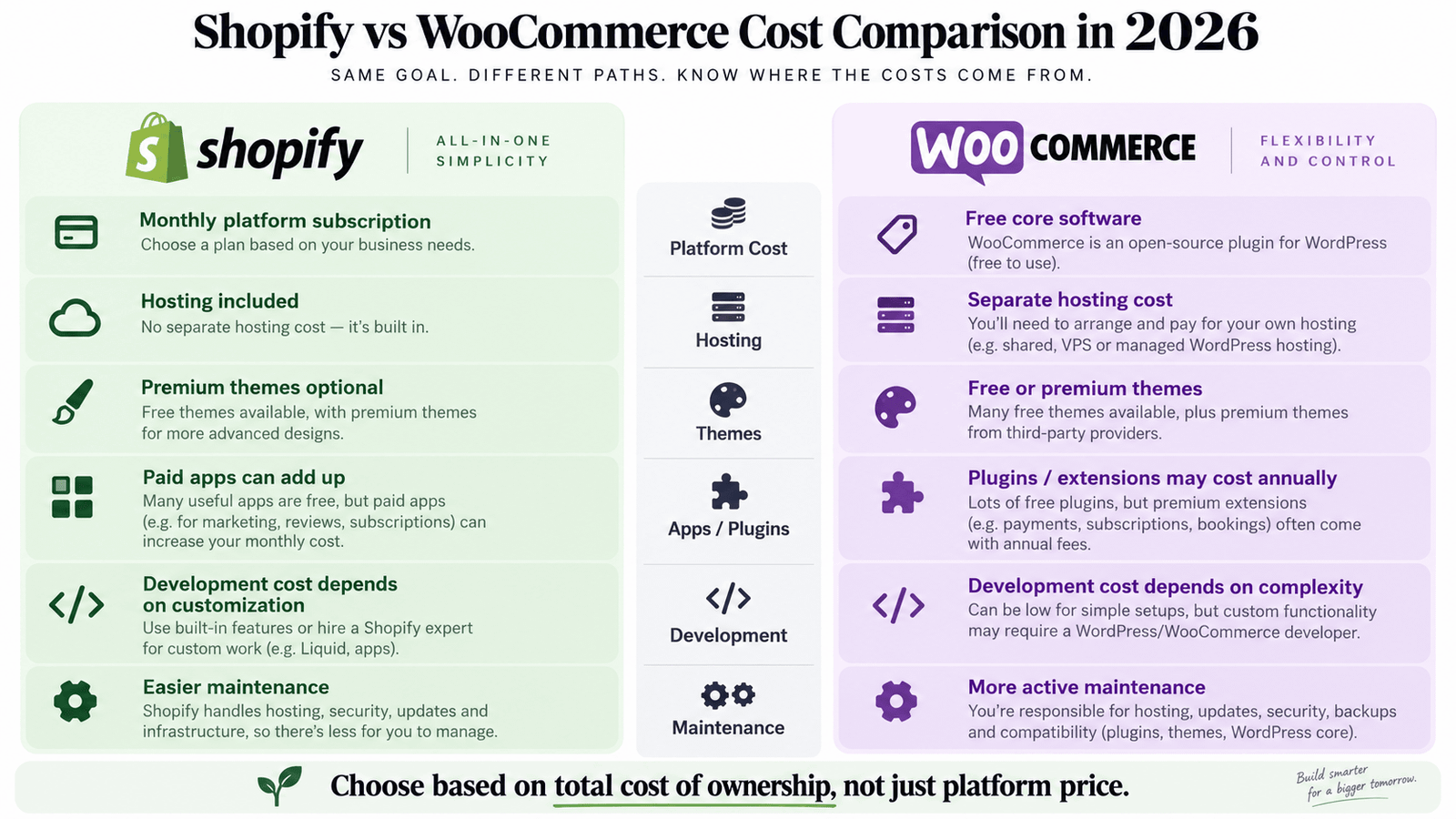
Shopify vs WooCommerce Pricing
Cost is often the first comparison business owners make.
However, comparing only:
Shopify = $29/month with WooCommerce = Free
is misleading. The real comparison should be your total cost of ownership.
Shopify Pricing
Shopify’s current annual-billing pricing begins at:
| Plan | Current Starting Price |
|---|---|
| Basic | $29/month |
| Grow | $79/month |
| Advanced | $299/month |
| Plus | From $2,300/month |
These prices cover the core hosted platform.
You may still need to budget for:
Domain
Premium theme
Shopify apps
Professional design
Development
Custom Liquid
Custom functionality
Email marketing
SEO
Photography
Advertising
So a Shopify subscription is not the same as the total cost of building the website.
WooCommerce Pricing
WooCommerce itself is free. But you’ll normally pay separately for infrastructure and functionality.
WooCommerce’s current pricing guidance estimates:
Core WooCommerce — Free
Hosting — approximately $25–$350/month for most stores
Extensions — commonly $29–$299/year each
Payment processing — according to your payment provider
You’ll also potentially need:
Domain
WordPress theme
Development
Security
Backups
Premium plugins
Performance optimization
Maintenance
Which Is Cheaper: Shopify or WooCommerce?
- For a very basic store, either platform can be relatively affordable.
- Shopify gives you predictable platform pricing.
- WooCommerce lets you control how much you spend on hosting, plugins, and infrastructure.
- For a small store that doesn’t need much customization, Shopify may be easier to budget.
- For a business that wants more control and can carefully manage its technology stack, WooCommerce may offer excellent long-term value.
- But neither platform should be selected based solely on the cheapest possible setup.
The better question is:
Which platform gives your business the capabilities it needs at a sustainable total cost?
Shopify vs WooCommerce: Ease of Use
For beginners, Shopify generally wins this category.
Why Shopify Is Easier
Shopify is designed as an integrated commerce platform.
The dashboard provides tools for:
Products
Orders
Customers
Discounts
Analytics
Markets
Apps
Themes
Payments
Shipping
You don’t need to choose separate hosting or manually install WordPress and WooCommerce. That removes several technical decisions from the setup process.
Shopify’s Basic plan already provides a customizable online store and tools for managing products, orders, and customers.
WooCommerce Has a Bigger Learning Curve
With WooCommerce, you need:
WordPress + hosting + WooCommerce + theme + plugins + payment gateway + security + backups.
That creates more flexibility but also more decisions.
Business owners may need to understand:
Hosting
WordPress
Plugins
Updates
Security
Performance
Compatibility
If you work with an experienced WooCommerce developer, most of this can be handled professionally.
But for a complete beginner building everything alone, Shopify is usually easier.
Winner for ease of use: Shopify
Shopify vs WooCommerce: Design Flexibility
Both platforms can produce excellent websites.
The difference is how much control you want.
Shopify Design
Shopify provides themes and a theme editor that allow merchants to customize their stores without writing code.
Professional developers can go much further using:
Liquid
CSS
JavaScript
Custom sections
Metafields
Metaobjects
Theme extensions
A professionally developed Shopify store can look completely different from the original theme.
WooCommerce Design
WooCommerce sits inside WordPress, which means you have access to the enormous WordPress design ecosystem.
You can build using:
Gutenberg
Elementor
Bricks
Custom themes
Block themes
Custom PHP
Custom CSS/JS
Headless approaches
Developers have deep access to product pages, templates, archives, account pages, cart behavior, and many other parts of the website.
If your design requirements are highly custom, WooCommerce generally gives developers more freedom.
Winner for maximum design flexibility: WooCommerce
Shopify vs WooCommerce: Custom Development
This category is particularly important for businesses with unusual requirements.
Suppose you need:
Custom product finder
Dynamic pricing
Advanced product calculator
Customer-specific pricing
Complex B2B system
Custom user dashboard
Product configuration
Advanced booking logic
Supplier automation
Custom fulfillment workflow
Complex ERP integration
Both Shopify and WooCommerce can support advanced functionality.
But WooCommerce’s open architecture makes it especially powerful for projects where developers need deep access to the system.
WooCommerce provides REST API capabilities and full open-source control, allowing it to integrate with a wide variety of external services.
Shopify Custom Development
Shopify still offers extensive customization through themes, apps, APIs, Shopify Functions, metafields, metaobjects, and other development tools.
For most normal eCommerce requirements, Shopify can be customized very effectively.
But you’re still working inside Shopify’s platform architecture.
WooCommerce Custom Development
Because WordPress and WooCommerce are open source, developers can create custom plugins and business logic without being limited to the same extent by a hosted platform.
Winner for deep custom development: WooCommerce
Shopify vs WooCommerce for SEO
Both platforms can rank extremely well on Google.
Choosing Shopify does not automatically hurt your SEO.
Choosing WooCommerce does not automatically improve your SEO.
SEO depends on:
Keyword strategy
Content quality
Technical SEO
Website architecture
Internal links
Backlinks
Product optimization
Category optimization
Site speed
Competition
User experience
However, the platforms provide different levels of control.
Shopify SEO
Shopify handles many technical elements automatically.
You can manage:
Page titles
Meta descriptions
Product content
Collection content
Image alt text
Blogs
Redirects
Structured content
International URLs
For most eCommerce businesses, Shopify provides enough SEO functionality to build a strong organic search strategy.
WooCommerce SEO
WooCommerce has the advantage of operating inside WordPress.
WordPress was built around content publishing, giving businesses extensive control over:
Blog architecture
Landing pages
Category pages
Content hubs
Custom post types
Internal linking
URL architecture
Schema
SEO plugins
This can make WooCommerce especially attractive for companies where content marketing and organic search are major parts of customer acquisition.
Which Is Better for SEO?
For a straightforward product store, both are strong.
For a content-heavy SEO strategy involving hundreds of articles, landing pages, guides, comparisons, tools, and complex site architecture, I generally prefer WooCommerce + WordPress.
Winner for maximum SEO/content flexibility: WooCommerce
Shopify vs WooCommerce for Blogging
This is closely connected to SEO.
Shopify includes blogging functionality.
You can publish:
Articles
Buying guides
Announcements
Product content
SEO posts
For many brands, this is enough.
WooCommerce, however, operates on WordPress—one of the most mature content management systems available.
If your strategy includes extensive blogging, educational resources, case studies, lead magnets, custom content types, and long-term SEO publishing, WordPress gives you much more flexibility.
Winner for serious content marketing: WooCommerce
Shopify vs WooCommerce: Product Management
Both platforms provide strong product-management systems.
You can create:
Simple products
Variations
Categories
Images
Inventory
Prices
Sale prices
SKUs
Shopify
Shopify’s product interface is very beginner-friendly.
All main Shopify plans support unlimited products.
This makes it easy to start with a few products and scale the catalog later.
WooCommerce
WooCommerce also gives you extensive product control.
Because you have access to WordPress plugins and custom code, you can create highly specialized product systems.
For example:
Advanced technical specifications
Custom tabs
Conditional fields
Product bundles
Calculators
Complex attributes
Dynamic pricing
Role-based pricing
Winner for standard product management: Tie
Winner for highly customized products: WooCommerce
Shopify vs WooCommerce: Apps and Plugins
Both platforms have enormous ecosystems.
Shopify Apps
Shopify apps can add functionality such as:
Reviews
Subscriptions
Loyalty
Email marketing
Filtering
Search
Upsells
Bundles
Shipping
Automation
Installation is generally straightforward.
One disadvantage is recurring app costs.
A store using many apps may accumulate significant monthly expenses.
WooCommerce Plugins
WooCommerce has access to both the WooCommerce marketplace and the broader WordPress plugin ecosystem.
Current official marketplace examples include:
Product Add-Ons — $79/year
WooCommerce Memberships — $199/year
Smart Coupons — $129/year
AutomateWoo — $159/year
Product Bundles — $79/year
WooCommerce Subscriptions — $279/year
WooCommerce Bookings — $249/year
WooCommerce’s ecosystem can provide extraordinary flexibility.
But installing too many plugins can also create:
Performance problems
Compatibility issues
Security concerns
Maintenance work
The goal on either platform should be to use the fewest high-quality extensions necessary.
Shopify vs WooCommerce: Payment Gateways
Both platforms support major payment solutions.
Shopify Payments
Shopify provides its own integrated payment solution in supported markets.
Current US card rates advertised on annual plans begin around:
Basic — 2.9% + 30¢
Grow — 2.7% + 30¢
Advanced — 2.5% + 30¢
Plus — from 2.25% + 30¢
Rates can differ by region and payment method.
WooCommerce Payments
WooCommerce lets you choose your payment provider.
Options can include:
WooPayments
Stripe
PayPal
Square
Mollie
Local gateways
Bank transfer
Cash on delivery
WooCommerce itself does not add a platform transaction fee; you pay the payment provider’s processing costs.
Which Is Better for Payments?
Shopify wins for simplicity.
WooCommerce wins for flexibility.
Shopify vs WooCommerce: Checkout
Checkout is one of the most important parts of any eCommerce store.
Shopify Checkout
Shopify manages the checkout infrastructure for you.
This means businesses receive a standardized and heavily optimized checkout experience without having to build the entire system themselves.
On Shopify Plus, businesses receive significantly greater checkout customization capabilities. Shopify currently lists fully customizable checkout among Plus features.
WooCommerce Checkout
WooCommerce gives developers much more direct control.
You can modify:
Fields
Layout
Validation
Shipping logic
Fees
Checkout steps
Conditional rules
Custom data
Payment behavior
This can be extremely valuable for businesses with specialized checkout requirements.
But poorly implemented customization can also create problems.
Winner for managed simplicity: Shopify
Winner for deep checkout customization: WooCommerce
Shopify vs WooCommerce: Website Speed
Neither platform automatically guarantees a fast website.
Shopify Performance
Shopify handles hosting and infrastructure.
This removes a major variable from store management.
You don’t need to find separate hosting or configure the underlying server.
However, a Shopify storefront can still become slow because of:
Large images
Excessive apps
Third-party scripts
Tracking tools
Heavy themes
Autoplay videos
WooCommerce Performance
WooCommerce performance depends heavily on your setup.
Important factors include:
Hosting
Server resources
Database optimization
Caching
CDN
Theme quality
Plugins
Code quality
Product quantity
WooCommerce gives you more opportunities to optimize infrastructure—but also more opportunities to configure it badly.
WooCommerce explicitly gives merchants the freedom to choose or change hosting providers rather than being tied to one platform’s infrastructure.
Winner for easy performance management: Shopify
Winner for infrastructure control: WooCommerce
Shopify vs WooCommerce: Security
Security is another major difference between managed and self-hosted platforms.
Shopify Security
Shopify manages much of the underlying platform security.
This means the business owner doesn’t need to maintain WordPress core, WooCommerce core, hosting infrastructure, and server software.
For businesses without a technical team, this is a significant advantage.
WooCommerce Security
With WooCommerce, you have more responsibility.
A professional WooCommerce store should regularly manage:
WordPress updates
WooCommerce updates
Plugin updates
Backups
SSL
Malware scanning
Firewall protection
Login security
Hosting security
WooCommerce can be highly secure.
But security depends more heavily on how professionally the website is built and maintained.
Winner for lowest maintenance burden: Shopify
Shopify vs WooCommerce: Maintenance
This may be one of the most important practical differences.
Shopify
Shopify manages the platform.
You still need to maintain:
Theme customizations
Apps
Products
Content
Marketing integrations
But you don’t manage the core hosting environment.
WooCommerce
WooCommerce requires ongoing maintenance.
You need to consider:
Updates
Plugin compatibility
Backups
Hosting
Database performance
Security
PHP compatibility
Custom code
F
or businesses that don’t want to manage technical maintenance, Shopify can be attractive.
For businesses that want control and have a developer or maintenance team, WooCommerce provides much greater freedom.
Winner for easy maintenance: Shopify
Shopify vs WooCommerce for International Selling
Both platforms can handle international businesses.
Shopify International Selling
Shopify provides centralized international sales tools.
Merchants can create different markets and configure regional experiences, currencies, pricing, product availability, domains, translations, and other settings. Regional markets are available across Shopify plans, while more advanced market customizations depend on the plan.
Shopify’s Advanced plan provides additional functionality for tailoring storefront and checkout experiences for individual markets.
This can make international expansion relatively straightforward.
WooCommerce International Selling
WooCommerce can support:
Multiple currencies
Multiple languages
Country-specific pricing
Regional tax
Regional shipping
Local gateways
International domains
You typically build the required configuration using plugins and custom development.
WooCommerce gives you more freedom, while Shopify provides a more integrated experience.
Winner for easier international setup: Shopify
Winner for highly custom international requirements: WooCommerce
Shopify vs WooCommerce for Scalability
Both platforms can support growing businesses.
WooCommerce states that its platform can scale from small stores to very large order volumes when properly configured.
Shopify provides plans specifically positioned for businesses moving from solo entrepreneurs through growing teams and global/complex operations.
The important point is that scalability isn’t only about whether the platform can technically process more orders.
It also includes:
Internal workflows
Inventory
Integrations
Performance
Team access
Reporting
Automation
International operations
Which Scales Better?
For a business that wants a managed infrastructure, Shopify offers an easier scaling path.
For a company with complex technical requirements and an experienced development team, WooCommerce can provide enormous flexibility.
Winner: Depends on business architecture
Shopify vs WooCommerce for B2B
B2B eCommerce can become much more complicated than normal retail.
Businesses may need:
Customer-specific pricing
Wholesale discounts
Company accounts
Tax exemption
Minimum order quantities
Payment terms
Custom catalogs
Quote requests
Shopify B2B
Shopify provides B2B capabilities, with the most extensive native B2B functionality associated with Shopify Plus. Shopify’s current Plus pricing includes unlimited B2B catalogs.
WooCommerce B2B
WooCommerce B2B functionality is usually created through plugins or custom development.
The open architecture makes it possible to create deeply customized pricing, purchasing, account, and ordering systems.
If your B2B requirements are highly specialized, WooCommerce can be especially powerful.
Shopify vs WooCommerce for Small Businesses
For many small businesses, Shopify is the easier choice.
Choose Shopify if you:
Want to launch quickly
Don’t have technical experience
Prefer predictable platform costs
Don’t want to manage hosting
Have relatively standard products
Want a straightforward admin experience
But WooCommerce can still be an excellent small-business platform.
Choose WooCommerce if you:
Already use WordPress
Depend heavily on SEO
Publish lots of content
Need specialized functionality
Want full website control
Have access to a developer
Shopify vs WooCommerce for Large Businesses
Large businesses need to think beyond platform popularity.
Questions should include:
How complex is our catalog?
How many orders do we process?
Which systems must integrate?
How many countries do we serve?
Do we have B2B requirements?
Do we need custom product logic?
What does our development team prefer?
How important is infrastructure control?
Shopify Plus can be an excellent option for high-volume businesses wanting managed infrastructure.
WooCommerce can be an excellent choice when the business requires deep customization and complete control over its technology stack.
Shopify vs WooCommerce for Dropshipping
Both can support dropshipping.
Shopify has a large ecosystem of dropshipping apps and makes store setup relatively easy.
WooCommerce can connect to dropshipping suppliers through plugins, APIs, and custom integrations.
For straightforward dropshipping:
Shopify is generally easier.
For custom supplier workflows and unusual automation:
WooCommerce may provide greater flexibility.
Shopify vs WooCommerce for Subscription Businesses
Both platforms can support recurring subscriptions.
Shopify can use subscription apps and supported subscription functionality.
WooCommerce has several subscription solutions, including the official WooCommerce Subscriptions extension, currently listed at $279 annually.
Your decision should depend on how complicated your subscription model is.
Shopify vs WooCommerce: Ownership and Control
This is one of the most fundamental differences.
Shopify
Shopify is a hosted SaaS platform.
You control your business, products, customer information, themes, and content, but the store operates within Shopify’s platform.
WooCommerce
WooCommerce is open source.
You choose the hosting environment and have direct control over the website code, database, files, and architecture.
WooCommerce specifically positions complete ownership and platform freedom as core features.
For many businesses, this level of control is a major advantage.
For others, it creates technical responsibility they don’t want.
Shopify vs WooCommerce: Pros and Cons
Shopify Advantages
Easy to start
Hosting included
Beginner-friendly interface
Strong product management
Managed infrastructure
Integrated payments
Strong checkout
International tools
Large app ecosystem
Less technical maintenance
Shopify Disadvantages
Ongoing platform subscription
Apps can increase monthly costs
Less server-level control
Some advanced customization requires higher plans
You operate inside Shopify’s platform architecture
WooCommerce Advantages
Free core platform
Open source
Full hosting control
Deep customization
Excellent WordPress integration
Powerful content marketing
Excellent SEO flexibility
Huge plugin ecosystem
No WooCommerce platform revenue share
Highly customizable checkout and business logic
WooCommerce Disadvantages
More technical setup
Hosting must be managed
Updates require attention
Plugin conflicts are possible
Performance depends on configuration
Security and maintenance require more responsibility
Shopify vs WooCommerce Cost Example
Let’s compare two hypothetical professional stores.
Shopify Example
A growing brand might have:
Shopify Basic or Grow
premium theme
several apps
professional design/development
email marketing
payment processing
Initial professional development might cost:
$1,500–$5,000+
with monthly platform and app costs afterward.
WooCommerce Example
The same business might have:
WooCommerce
managed hosting
premium theme
several premium plugins
professional development
security and maintenance
payment processing
Initial development might also cost:
$1,500–$5,000+
with hosting and plugin costs afterward.
This is why there isn’t a universal answer to:
“Which platform is cheaper?”
The cost depends on how the store is built and operated.
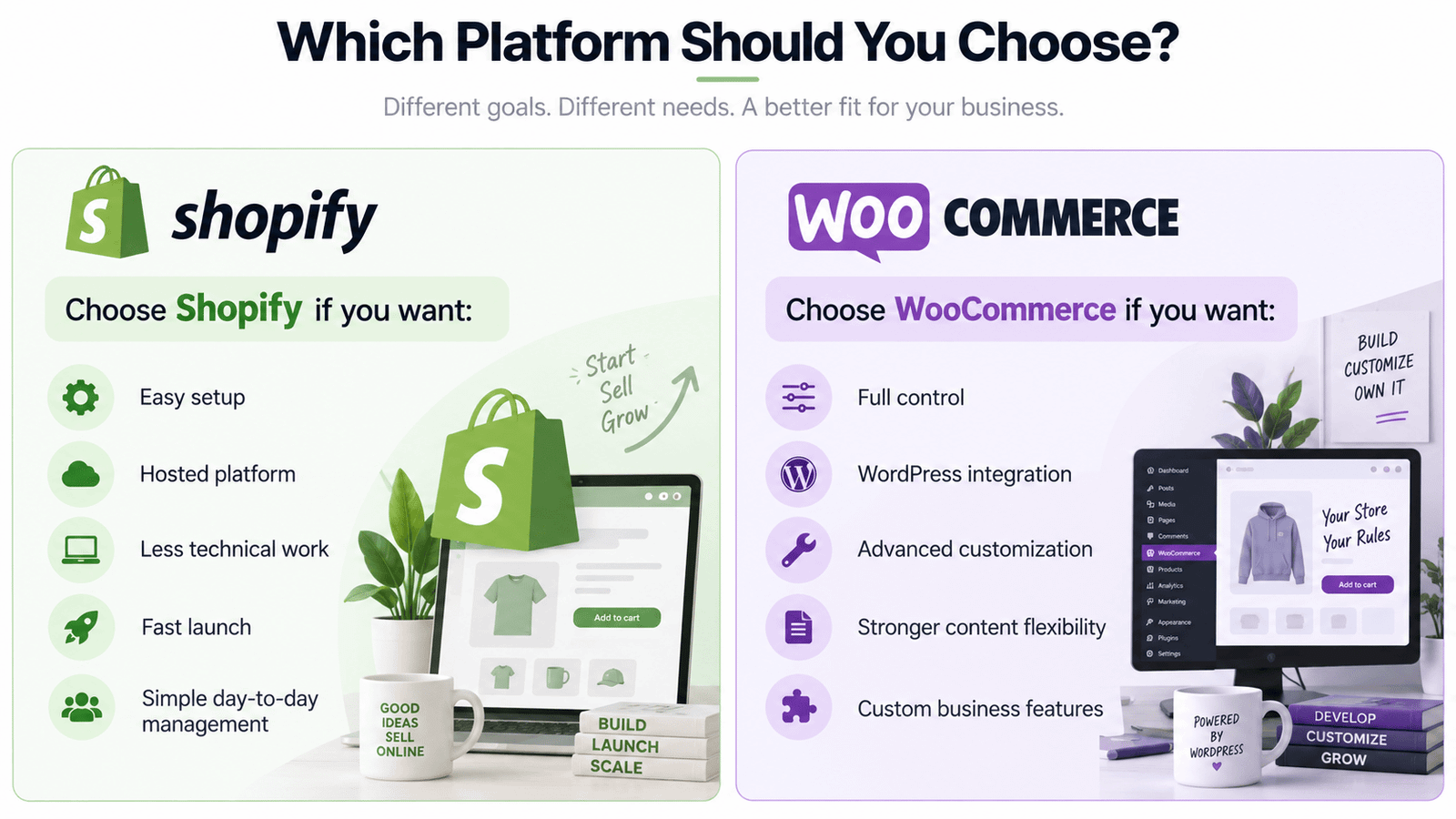
When Should You Choose Shopify?
Shopify is probably the better choice if most of these statements describe your business:
You want the easiest setup.
You don’t want to manage hosting.
You don’t have a technical team.
Your products are relatively standard.
You want to launch quickly.
You prefer predictable platform pricing.
You want managed infrastructure.
You plan to sell internationally without building a highly custom system.
You prefer apps over custom development.
For many product-focused brands, Shopify provides an excellent balance of simplicity and capability.
When Should You Choose WooCommerce?
WooCommerce may be better if:
Your website already runs on WordPress.
SEO and content marketing are major priorities.
You need custom functionality.
You want complete hosting control.
You need unusual product logic.
You need custom integrations.
You want complete access to your site code.
Your website contains much more than eCommerce.
You have a developer or technical team.
You want maximum flexibility.
WooCommerce is especially powerful when your website is not simply an online store but a larger digital business platform.
Shopify vs WooCommerce: Which Is Better for SEO?
If your only question is SEO:
WooCommerce has the advantage in flexibility.
But I would not choose WooCommerce solely because someone told you “WordPress ranks better.”
Shopify websites can rank extremely well.
The bigger advantage of WooCommerce is that WordPress gives SEO teams more control over content architecture and publishing.
If your business intends to create:
Hundreds of blog posts
Landing pages
Buying guides
Calculators
Comparison pages
Custom content hubs
Resource centers
WooCommerce + WordPress becomes very attractive.
Shopify vs WooCommerce: Which Is Better for Conversion Rates?
Neither platform automatically gives you higher conversions.
Conversion rate depends heavily on:
Product quality
Pricing
Traffic quality
Brand credibility
Website speed
Product-page UX
Mobile experience
Reviews
Shipping
Returns
Checkout
Offers
Shopify provides a highly managed checkout foundation.
WooCommerce gives you more freedom to customize the entire buying journey.
A badly designed Shopify store can convert poorly.
A professionally optimized WooCommerce store can convert extremely well.
And vice versa.
The platform is only part of the equation.
Shopify vs WooCommerce: Which One Would I Recommend?
My recommendation depends on the business.
Choose Shopify When:
You want a professional store with less technical complexity.
It’s particularly strong for:
Fashion brands
Beauty brands
Lifestyle products
DTC brands
Simple product catalogs
Startups
Growing retail brands
Choose WooCommerce When:
You need deeper customization or already have a strong WordPress ecosystem.
It’s particularly strong for:
Technical products
Complex catalogs
B2B companies
Membership websites
Content-heavy brands
Custom ordering systems
Specialized product configurations
Companies requiring unusual integrations
My Decision Framework
If you’re still unsure, answer these questions.
1. Do You Want to Manage Hosting?
No → Shopify
Yes / I have a developer → WooCommerce
2. Is Content Marketing a Major Strategy?
Normal blog → Either
Large SEO/content ecosystem → WooCommerce
3. Do You Need Unusual Custom Functionality?
No → Shopify may be simpler
Yes → WooCommerce deserves serious consideration
4. Do You Want the Easiest Day-to-Day Management?
Shopify
5. Do You Want Maximum Technical Control?
WooCommerce
6. Do You Already Have a WordPress Website?
WooCommerce may be the natural choice
7. Are You Building a Standard DTC Product Store?
Shopify is often ideal
Shopify vs WooCommerce Comparison Scorecard
| Category | Winner |
|---|---|
| Ease of Use | Shopify |
| Fast Setup | Shopify |
| Hosting Simplicity | Shopify |
| Maintenance | Shopify |
| Customization | WooCommerce |
| Technical Control | WooCommerce |
| Content Marketing | WooCommerce |
| SEO Flexibility | WooCommerce |
| Custom Development | WooCommerce |
| Standard eCommerce | Tie |
| Product Management | Tie |
| International Simplicity | Shopify |
| Specialized Business Logic | WooCommerce |
| Ownership / Open Source | WooCommerce |
| Beginner Friendly | Shopify |
| Managed Infrastructure | Shopify |
The final score isn’t what matters.
Your business requirements determine the winner.
Can You Migrate From Shopify to WooCommerce?
Yes.
Businesses can migrate products, categories, customers, orders, images, and other information from Shopify to WooCommerce.
However, migrations need careful planning.
Important considerations include:
URLs
SEO rankings
Redirects
Product variations
Customer data
Orders
Reviews
Images
Apps
Existing functionality
Do not simply rebuild the site and delete the previous store without creating an SEO migration plan.
Can You Migrate From WooCommerce to Shopify?
Yes.
WooCommerce data can also be migrated into Shopify.
This may make sense when a company wants to reduce technical maintenance or move to a more managed eCommerce environment.
Again, SEO, URLs, product data, integrations, and order history should be reviewed carefully.
Frequently Asked Questions About Shopify vs WooCommerce
Is Shopify Better Than WooCommerce?
Shopify is better for businesses that prioritize ease of use, managed hosting, predictable infrastructure, and lower technical maintenance.
WooCommerce is better for businesses that prioritize customization, WordPress integration, content marketing, technical control, and open-source flexibility.
Is WooCommerce Cheaper Than Shopify?
Not necessarily.
WooCommerce’s core platform is free, but you’ll normally pay for hosting, plugins, development, maintenance, and other services.
Shopify charges a platform subscription but includes hosting and much of the underlying infrastructure.
Compare total costs rather than only the core platform price.
Is Shopify Easier Than WooCommerce?
Generally, yes.
Shopify provides hosting and the core store infrastructure within one managed platform.
WooCommerce requires WordPress, hosting, updates, security, and other technical considerations.
Which Is Better for SEO: Shopify or WooCommerce?
Both can perform very well.
WooCommerce offers more control because it runs on WordPress, making it particularly powerful for advanced content marketing and SEO strategies.
Which Is Better for Beginners?
Shopify.
Its managed ecosystem removes many of the technical responsibilities involved with operating a self-hosted WordPress website.
Which Platform Gives Me More Control?
WooCommerce.
It is open source and lets you control your hosting, files, database, code, plugins, integrations, and site architecture.
Is WooCommerce Good for Large Stores?
Yes.
WooCommerce can support large stores when it is properly developed, hosted, cached, and optimized.
Large catalogs require stronger infrastructure than small stores.
Is Shopify Good for Large Stores?
Yes.
Shopify supports businesses ranging from startups to enterprise operations through plans including Shopify Plus.
Which Is Better for Dropshipping?
Shopify is often easier for straightforward dropshipping businesses because of its app ecosystem and managed infrastructure.
WooCommerce can be preferable when you need highly customized supplier integrations and automation.
Which Is Better for B2B?
Both can support B2B commerce.
Shopify Plus includes advanced B2B functionality.
WooCommerce can be heavily customized using plugins and custom development.
The best solution depends on how complex your B2B pricing and ordering requirements are.
Which Is Better for Blogging?
WooCommerce.
Because WooCommerce runs on WordPress, it offers significantly more flexibility for content-heavy businesses.
Which Is Better for Custom Product Options?
WooCommerce generally gives developers more freedom for highly customized product systems.
Shopify can also support sophisticated product experiences through apps and custom development.
Does Shopify Own My Products?
You retain your business and product information, but your store operates on Shopify’s hosted platform.
WooCommerce is open source and can run on hosting infrastructure you choose.
Can I Use WordPress With Shopify?
Yes.
It is possible to use WordPress as a content platform while using Shopify for commerce, although this creates a more complex architecture than using WooCommerce directly inside WordPress.
Final Verdict: Shopify vs WooCommerce in 2026
So which platform wins?
There is no universal winner.
Choose Shopify if you want simplicity.
Choose it if you want:
Managed hosting
Easier maintenance
Fast setup
Excellent standard commerce tools
Less technical responsibility
Choose WooCommerce if you want control.
Choose it if you want:
Open-source flexibility
WordPress
Advanced SEO/content possibilities
Custom business logic
Custom integrations
Deep technical access
For a straightforward product brand, I often recommend Shopify.
For a complex WordPress-based business, technical store, B2B company, or website requiring extensive custom functionality, WooCommerce can be the stronger choice.
The important thing is not choosing the platform that gets the most attention online.
It’s choosing the platform that fits how your business actually operates.
Get a Free Website Consultation
I’ll review your current website and identify opportunities to improve its design, user experience, mobile usability, performance, SEO, and conversions.

